PROFESSIONAL PCIe VIDEO CAPTURE
Dual-Channel HDMI PCIe Video Capture Card
Designed for dual-camera and dual-source workflows, this internal capture card provides two HDMI 1.4 inputs with dual-channel capture up to 1080p60. It connects through PCIe 2.0 x1, supports YUY2, XRGB and NV12 video output, and captures HDMI embedded audio together with a 3.5 mm Line In stereo mix.
2× HDMI InputsDual 1080p60 CapturePCIe 2.0 x1YUY2 / XRGB / NV12HDMI + Line In AudioWindows / Linux
CORE ADVANTAGES
Dual HD Capture with Onboard Video Processing
Two HDMI InputsConnect two HDMI sources simultaneously for multi-camera, dual-view and comparison capture.
Dual-Channel 1080p60Each channel supports common formats up to 1080p60 for real-time preview and recording.
Flexible Pixel FormatsYUY2, XRGB and NV12 support makes integration easier for streaming, vision and custom applications.
Onboard ProcessingInput detection, scaling and hardware deinterlacing are handled on the card to reduce host CPU load.
Versatile AudioCapture HDMI embedded audio and mix stereo audio through the 3.5 mm Line In connector.
Multi-Stream and SDKSupports multiple streams at different resolutions with DirectShow, V4L2 and SDK integration.

TRANSPARENT PRODUCT VIEW
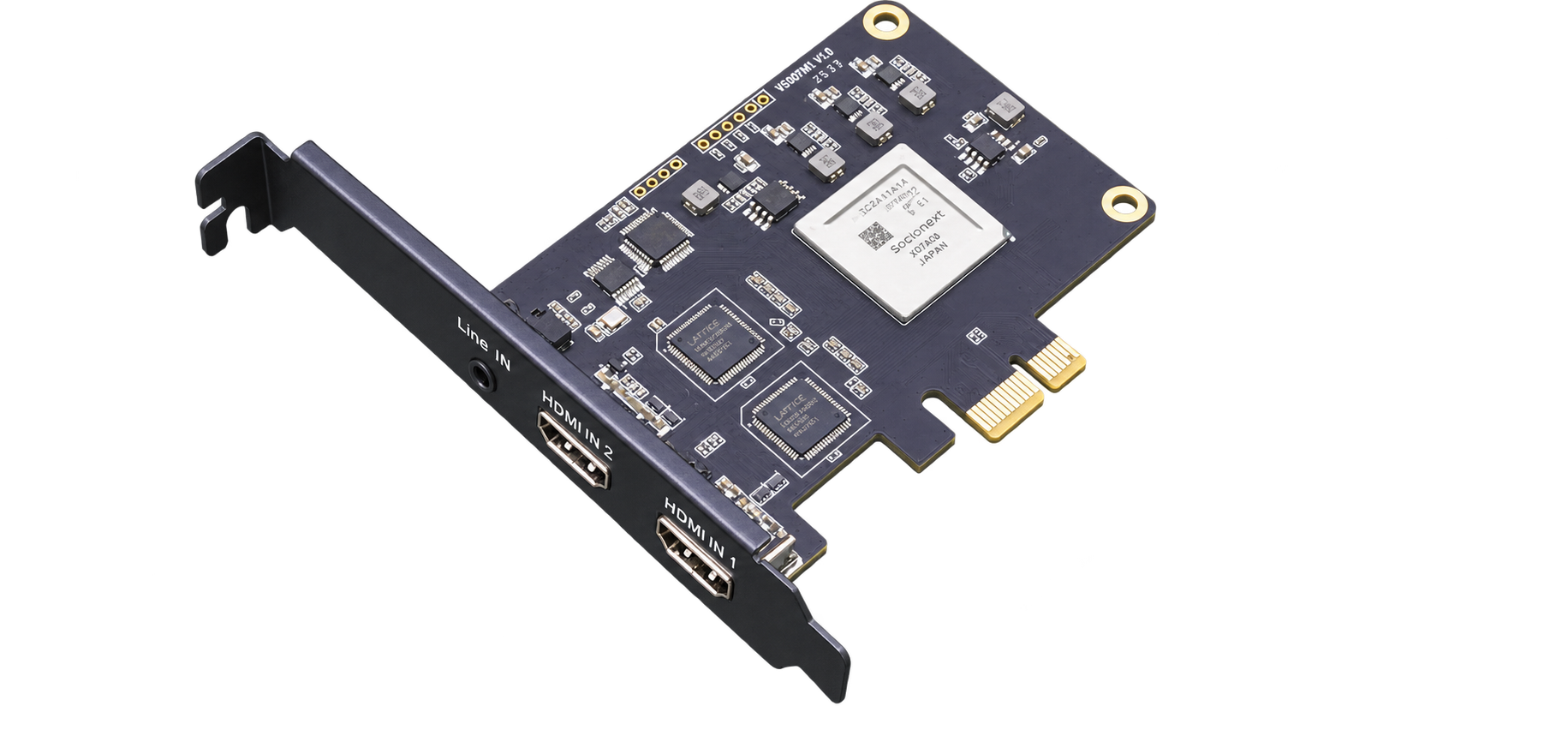
Dual HDMI PCIe 2.0 x1 Capture Card
2× HDMI IN · 1× Line In · PCIe 2.0 x1 · 1080p60
A standard internal PCIe card with two HDMI inputs and a 3.5 mm Line In connector on the bracket, suitable for desktop workstations, industrial computers and OEM systems.
Two HDMI inputs with no video loop-through
Capture resolutions up to 1080p60
YUY2, XRGB and NV12 video output
HDMI embedded audio and Line In stereo mix
WORKFLOW
Four Steps to Dual-Channel Capture
After installing the card and driver, compatible capture, streaming and development software can access the two video channels independently.
01 · INSTALLInstall the PCIe CardPower off the host, insert the card into a PCIe slot and secure the bracket.
02 · DRIVERInstall the DriverInstall the matching driver and confirm that both video channels are detected.
03 · CONNECTConnect Video and AudioConnect two HDMI sources and attach a 3.5 mm Line In source when required.
04 · CAPTURESelect Channels and FormatsConfigure resolution and pixel format in OBS, vMix, VLC or a custom application.
CORE SPECIFICATIONS
Technical Specifications
| Product Type | Dual-channel HDMI PCIe video capture card |
| Host Interface | PCIe 2.0 x1, 5 Gbps link bandwidth |
| Video Inputs | 2× HDMI 1.4 |
| Video Loop-Through | None |
| Input Resolutions | Common formats up to 1080p60 |
| Maximum Capture | Dual-channel capture up to 1080p60 |
| Video Formats | YUY2, XRGB, NV12 |
| Capture APIs | DirectShow (Windows), V4L2 (Linux) |
| Audio Inputs | HDMI embedded audio; 3.5 mm Line In stereo mix |
| Audio Format | PCM 48 kHz stereo |
| Hardware Processing | Automatic input detection, scaling and hardware deinterlacing |
| Multi-Stream Output | Multiple streams at different resolutions |
| HDCP | Supported for legally authorized content only |
| Operating Systems | Windows and Linux |
| Development | DirectShow / V4L2 and SDK support |
| Compatible Software | OBS, vMix, VLC, Wirecast and other compatible applications |
| Dimensions | Approx. 113 × 69 mm |
| Power Consumption | ≤5 W |
| Operating Temperature | 0–85°C |
| Storage Conditions | -20–70°C, 5%–90% relative humidity |
APPLICATIONS
Built for Streaming, Professional Capture and Integration
Multi-Camera StreamingConference RecordingMedical ImagingIndustrial VisionEducation RecordingGame CaptureVideo AnalyticsOEM / ODM Integration
Specification Note: This product is a video capture card and does not provide HDMI loop-through. Available resolutions, frame rates, pixel formats and stream counts may vary with host performance, PCIe bandwidth, driver and application settings.